
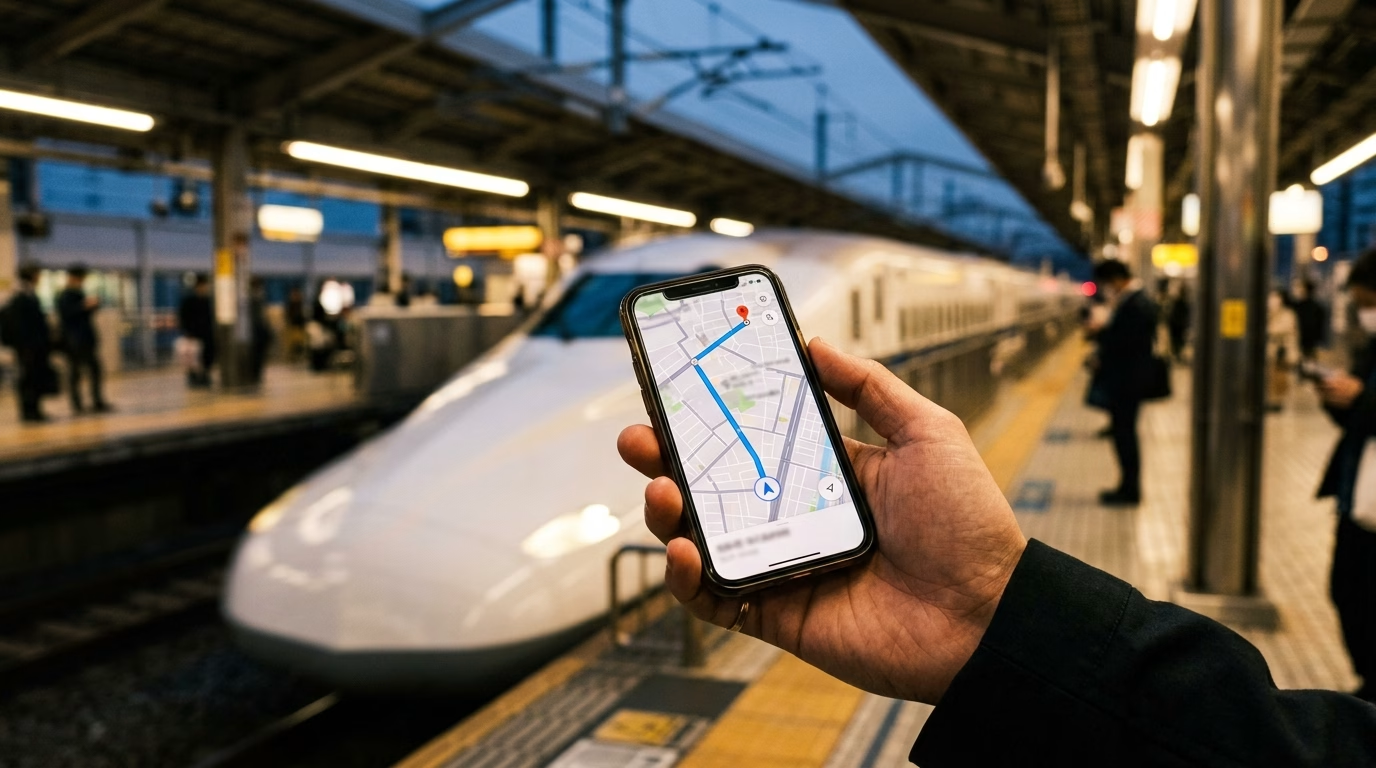
Finding the best eSIM for Japan comes down to four things. You need a strong local network, enough data, a plan for your whole trip and a setup you finish before you fly. Get those right, and you step off the plane at Narita or Haneda with maps, messages and train times ready to go.
Telekonek’s Japan eSIM runs on NTT Docomo and SoftBank, two of the country’s biggest networks. You install it at home, and it connects when you land. Your home number stays active for calls and bank codes the whole time. This guide covers what to check, how much data you need and which plan fits your trip.
Key takeaways
- The best eSIM for Japan runs on a major local network. Telekonek’s connects to NTT Docomo and SoftBank.
- Unlimited data costs $19.00 for 7 days and $31.50 for 15 days. Metered plans start at 3 GB for $7.50.
- Install your eSIM at home on Wi-Fi. It activates when you land in Japan.
- The eSIM is data only, so your home SIM keeps handling calls, texts and verification codes.
- Your phone must support eSIM and be carrier-unlocked. Check both before you buy.
What makes the best eSIM for Japan
Most phones bought in the last few years can run a travel eSIM. The one that serves your trip well ticks every box below.
It runs on a major Japanese network
Your signal comes from the local network your eSIM connects to. Telekonek’s Japan eSIM uses NTT Docomo and SoftBank. Both are strong in Tokyo, Osaka and Kyoto, indoors and out. Docomo reaches further into rural areas, which helps on day trips to the mountains or the coast.
You get 5G where the network offers it and fast LTE everywhere else. In practice, 5G shows up most in big city centers.
It gives you enough data, or no cap at all
You can choose a set amount of data or go unlimited. Metered plans suit light users who mostly check maps and messages. Unlimited suits anyone who streams, makes video calls or runs a hotspot.
Unlimited plans include a daily high-speed allowance set by the local network. Past that point, speeds slow down until the next day. If you plan big uploads, like a full day of 4K video, save them for hotel Wi-Fi.
The validity matches your trip
Your plan should cover every day you spend in Japan, including arrival and departure days. With Telekonek, you set validity anywhere from 1 to 180 days. You only pay for the days you need.
It doubles as a hotspot
Traveling with a laptop, or with someone whose phone can’t take an eSIM? You can share your Japan eSIM’s data through your phone’s personal hotspot. On a metered plan, keep an eye on usage, since laptops use data fast.
Your home number stays reachable
A travel eSIM handles data only. Your regular SIM stays in your phone for calls, texts and the one-time codes your bank sends. Turn off data roaming on your home line so it never runs up roaming charges.
You can top up mid-trip
Burned through your data faster than planned? Top up the same eSIM in a few taps. There’s no new QR code to scan and nothing to reinstall. The eSIM also stays on your phone for future trips.
Takeaway: A strong network, the right amount of data, matching validity and your home number intact. That’s the whole checklist.
How much data do you need in Japan?
Choosing the best eSIM for Japan starts with knowing how you’ll use it. Japan rewards a connected traveler. Train transfers, menus, taxis and transit cards all lean on your phone. Here’s what most visitors use:
- Maps and transit: Google Maps handles train, subway and walking directions across the country. Live directions and platform changes need data.
- Messaging: LINE is the most widely used chat app in Japan, and WhatsApp and iMessage work too. Expect to message hotels, tour guides and friends.
- Translation: Camera translation turns menus and signs into English in seconds. Download the offline Japanese pack as a backup.
- Transit card: On iPhone, the Welcome Suica Mobile app sets up a Suica card for trains, buses and shops. You top it up in the app, with no ticket machine needed. In some countries, setup only works after you land.
- Taxis: The GO taxi app works in English and accepts foreign credit cards. If sign-up sends a verification text, it goes to your home number.
Most trips land in one of three bands:
- Light, about 1 GB a week: maps, messages, email and the odd search.
- Medium, about 3 to 5 GB a week: social media, browsing, music and some video.
- Heavy, 10 GB or more a week: video calls, streaming and a laptop on your hotspot.
If you’re between two sizes, go up one. Running out on day six costs you more time than the few dollars you saved. If you’d rather not count at all, unlimited removes the guesswork.
For a fuller list of apps worth installing, see these travel apps for visiting Japan.
Telekonek Japan eSIM plans by trip length
Here’s what unlimited data costs for common trip lengths, next to a metered size for medium use. Prices are in US dollars and cover the whole trip.
| Trip length | Unlimited data | Cost per day | Metered option (medium use) |
|---|---|---|---|
| 5 days | $14.50 | $2.90 | 3 GB |
| 7 days | $19.00 | $2.71 | 5 GB |
| 10 days | $24.50 | $2.45 | 10 GB |
| 15 days | $31.50 | $2.10 | 10 GB |
| 30 days | $49.50 | $1.65 | 20 GB |
Metered plans start at 3 GB for $7.50, 5 GB for $10.50 and 10 GB for $17.50. You can go as high as 100 GB. The price updates as you set your trip length.
Notice the per-day cost. The longer you stay, the less each day of unlimited data costs, down to $1.65 a day for a month.
A short city break often fits a metered plan. Two weeks of Shinkansen rides, temple visits and hundreds of photos is where unlimited earns its price. You can build either one on the Japan eSIM plan page.
Takeaway: For a one-week trip, the best eSIM for Japan is usually the 7-day unlimited plan at $19.00. It covers almost any travel style.
Should you buy your Japan eSIM before you fly?
Yes. Buy and install it at home. Here’s why:
- Setup needs Wi-Fi. Your home network is the easiest place to scan a QR code, not an airport after a long flight.
- You land connected. The plan activates when your phone reaches a Japanese network, so your days start in Japan.
- No kiosk lines. You skip the hunt for a SIM counter and head straight for the train.
The simplest timing is a day or two before you leave. Install the eSIM, label it “Japan,” and leave your home line as it is. When you land at Narita, Haneda or Kansai, switch mobile data to the Japan line and turn on data roaming for it. On iOS 26, your iPhone may prompt you to turn on the travel eSIM when you arrive.
Arriving through Narita? Here’s how to get from Narita Airport to Tokyo by train, bus or taxi.
Japan eSIM vs pocket Wi-Fi
Pocket Wi-Fi used to be the default for visitors. It’s a small rental router you collect at the airport or your hotel, then return before you fly home. A Japan eSIM does the same job without the extra device.
| Japan eSIM | Pocket Wi-Fi | |
|---|---|---|
| Setup | Scan a QR code at home | Reserve, collect and return a device |
| Ready when you land | Yes | Only after pick-up |
| Extra device to carry | No | Yes, plus its charger |
| Battery | Runs on your phone | Router needs charging every day |
| Groups | Each phone has its own data | Everyone shares one router and stays close |
| Payment | One prepaid price | Daily rental, sometimes a deposit |
Pocket Wi-Fi only works while you’re within range of the router. If your group splits up for the afternoon, whoever leaves without it goes offline. With an eSIM on each phone, everyone stays connected and can still find each other.
For most visitors, the best eSIM for Japan beats a rental router on convenience. It’s one less thing to charge, carry and return.
Does your phone support an eSIM?
Even the best eSIM for Japan won’t install on a phone that can’t take one. Check two things before you buy.
- eSIM support: iPhone XS, XR and later support eSIM. So do most Google Pixel 3 and later models and Samsung Galaxy S20 and later. Check the full list of eSIM-compatible phones if you’re unsure.
- Carrier unlock: A phone locked to your carrier won’t accept a travel eSIM. On iPhone, go to Settings, then General, then About. “No SIM Restrictions” next to Carrier Lock means you’re set. Apple’s guide to using an eSIM while traveling walks through the check.
If your phone is locked, ask your carrier to unlock it a week or two before the trip. Some carriers take a few days.
How to set up your Japan eSIM
Setup takes a few minutes. Your QR code arrives by email within 30 seconds of checkout.
On iPhone
- Connect to Wi-Fi.
- Open the QR code email on another screen and scan it with your iPhone camera. On iOS 17.4 or later, you can also tap and hold the QR code in the email, then tap Add eSIM.
- Follow the prompts and label the new line “Japan.”
- After landing, go to Settings, then Cellular, then Cellular Data, and pick the Japan line.
- Turn on data roaming for the Japan line.
On Android
- Connect to Wi-Fi.
- Open Settings and find the SIM or mobile network menu.
- Choose Add eSIM or Download a SIM, then scan the QR code.
- After landing, set the Japan eSIM as your mobile data SIM and turn on roaming for it.
Want screenshots? Follow the step-by-step guides for iPhone and Android.
Tips to stretch your Japan eSIM data
Even on the best eSIM for Japan, a few habits keep metered data from running out early. They also save battery on long sightseeing days.
- Turn on Low Data Mode or Data Saver. Both stop many apps from syncing in the background. On iPhone, go to Settings, then Cellular, then tap the Japan line. On Android, look for Data Saver in your network settings.
- Keep photo backups on Wi-Fi. Cloud photo apps can upload a full day of pictures over mobile data. Set backups to Wi-Fi only before you fly.
- Download offline maps. Save maps for each city on your route. You still want live data for train times, but offline maps cover you in tunnels and quiet valleys.
- Stop app updates on mobile data. A single large update can use a gigabyte or more. Let updates wait for hotel Wi-Fi.
- Carry a power bank. Maps, translation and transit apps drain your battery fast. A small power bank keeps your phone, and your connection, going until evening.
- Check your usage. Your phone’s mobile data settings show how much the Japan line has used. On a metered plan, check every couple of days.
Free Wi-Fi helps too, though many hotspots in Japan ask you to register with an email first. Treat it as a bonus, not your main connection.
Visiting Korea, Taiwan or Hong Kong on the same trip?
Japan often pairs with Seoul, Taipei or Hong Kong. You don’t need a new eSIM for each stop. Keep your Telekonek eSIM installed and add a plan for the next country before you cross the border.
Each country runs on its own local network. In South Korea, for example, your eSIM connects to KT. Check the South Korea eSIM plans if Seoul is next on your list. Telekonek covers 200+ countries, so the same eSIM can follow you well beyond Asia.
Frequently asked questions
Does a Japan eSIM come with a phone number?
No. Telekonek’s Japan eSIM is data only, with no local number, calls or texts. Your home SIM handles calls and texts, and you can call over data with LINE, WhatsApp or FaceTime.
Will my eSIM work on the Shinkansen?
Yes, for most of the ride. Expect short drops in long tunnels, especially on mountain stretches. Download anything you need before you board.
Does it work in rural Japan, Hokkaido and Okinawa?
Yes. Coverage is strong in Hokkaido, Okinawa and most rural towns. It can thin out on remote mountain roads and hiking trails, so download offline maps before you head out.
Can I use my Japan eSIM as a hotspot?
Yes. Turn on your phone’s personal hotspot and connect a laptop or tablet. Hotspot use burns through metered data fast, so pick unlimited if you plan to work from a laptop.
Can my travel partner share my eSIM?
No. Each eSIM installs on one phone, so every traveler with an eSIM-capable phone needs their own plan. If someone’s phone can’t take an eSIM, share data with them through your hotspot.
What if I have no data after landing?
Run through three quick checks. Make sure the Japan line is turned on and set as your data line. Confirm data roaming is on for that line. Then switch airplane mode on and off, or restart your phone. If it still won’t connect, contact Telekonek support from any Wi-Fi network.
When does my plan start?
Your plan activates when your phone connects to a network in Japan, not when you buy it. That means you can buy ahead without losing any days.
What’s the best eSIM for Japan for a month or longer?
For long stays, the 30-day unlimited plan works out to $1.65 a day. You can also set validity as long as 180 days and top up whenever you need more data.
Get your Japan eSIM before you fly
The best eSIM for Japan is the one that’s already working when you step off the plane. Pick your trip length, choose unlimited or a data amount, and install it at home. Then land, switch it on and head for the train.
Get your Japan eSIM and start your trip connected.