
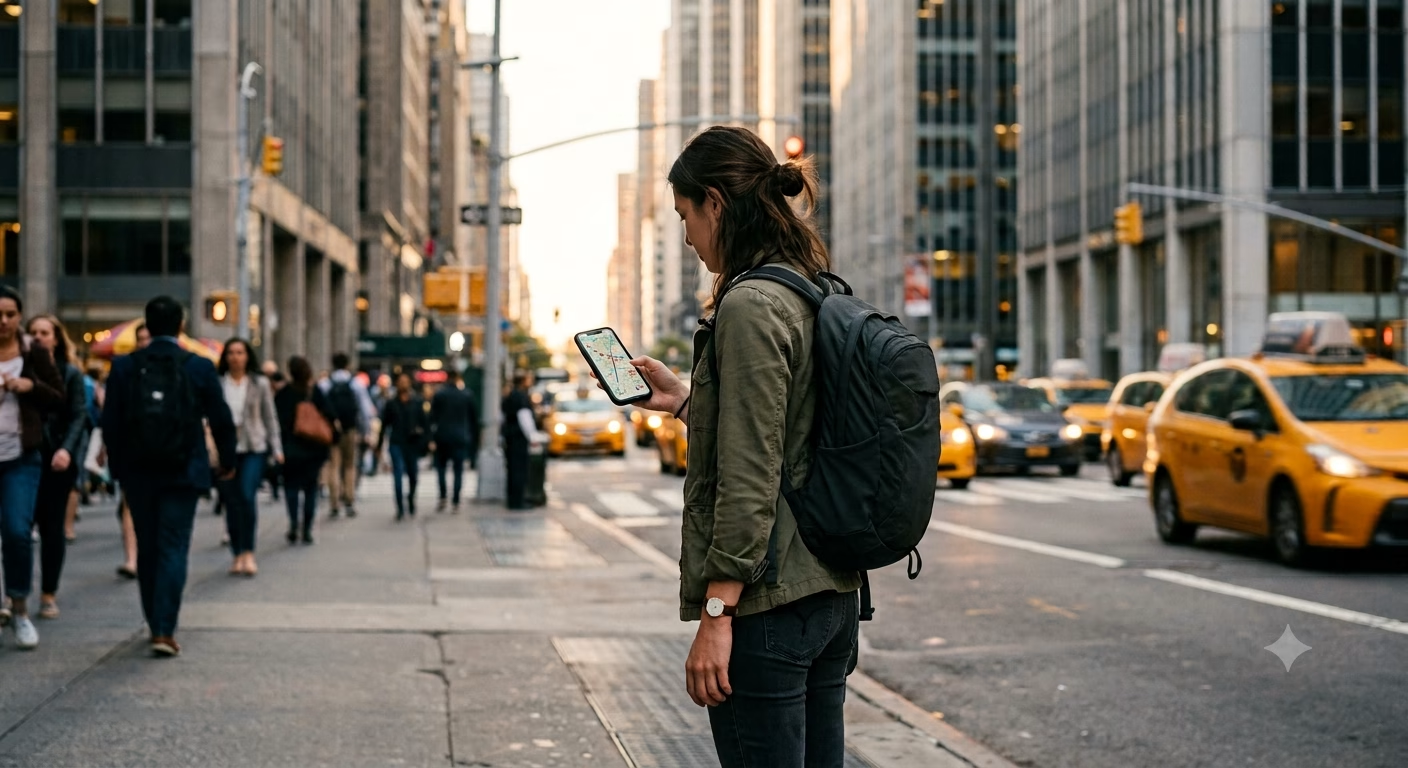
Why a New York eSIM Beats the Airport SIM Hunt
New York punishes dead zones and slow setups. You’ll use your phone for subway changes, timed museum entry, restaurant waitlists, and ride pickups on crowded corners. That’s why a New York eSIM is the smartest way to stay connected—one you can turn on fast, manage easily, and trust when your plans change mid-block.
An eSIM is a digital SIM built into your phone. There’s no tiny plastic card to buy, swap, or lose. With Telekonek, you can set up your US eSIM before you fly, then land at JFK, LGA, or EWR with data ready to go.
Convenience beats the airport SIM hunt. In New York, the last thing you want is standing in a terminal shop line or searching for a store with your bags. With an eSIM, you scan a QR code or install in-app, then you’re done. That matters when you’re trying to catch the AirTrain at JFK, find the right NJ Transit track at Newark, or just get Google Maps working outside baggage claim.
Flexibility is the real win. New York trips rarely stay “Manhattan only.” You’ll day-trip to Brooklyn, Queens food spots, Coney Island, or even hop a train to Philly. Telekonek lets you top up or switch plans without finding a store. And if you’re continuing beyond the US, Telekonek data plans work in 200+ countries, so you don’t have to rebuild your setup for every border.
Multiple profiles keep your main number safe. Most newer phones let you store more than one eSIM profile. You can keep your home SIM active for texts and bank codes, while Telekonek handles data in New York. That’s huge when a restaurant uses SMS to confirm your reservation, or when your card triggers a “verify it’s you” message at the register.
Watch out for one common mistake: some travelers delete their home SIM profile by accident while “cleaning up.” Don’t remove anything until you’ve confirmed your home number still works for verification texts. Also, install your Telekonek eSIM while you have stable Wi‑Fi (hotel, home, or airport), then turn on data once you land.
- Fast setup: no stores, no SIM trays, no tiny tools.
- Easy changes: add data in minutes when your week gets busier.
- Cleaner phone management: separate travel data from your main line.
Takeaway: In New York, an eSIM saves time, avoids hassles, and keeps you connected the moment you hit the sidewalk—set up your Telekonek US plan before you land.
What to Look for in a New York eSIM
When you’re choosing a New York eSIM, three things matter most: fast activation, strong coverage in the boroughs, and plans that match your trip length. New York is the kind of place where you burn data in short bursts—Maps reroutes, subway alerts, QR tickets, and ride pickups on busy avenues.
Telekonek is built for exactly that. You install it before takeoff, then your data is ready when you step into the terminal. That matters at JFK and EWR, where airport Wi‑Fi can be slow and you may need to message a driver or pull up your hotel check-in details. Here’s what to prioritize:
- Activation before you land: the ability to install ahead and switch on when you arrive is what saves your first NYC morning from support chats and SIM lines.
- Borough-wide coverage: reliable data across Manhattan, Brooklyn, Queens, the Bronx, and Staten Island, plus nearby day trips—not just a strong signal in one neighborhood. Telekonek connects to top-tier local networks, so you’re on the same towers New Yorkers use.
- Right-size plans with easy top-ups: choose a fixed data pack (light, medium, or heavy use) and add more in minutes if you underestimate.
- Keep your home number: run Telekonek for data while your home SIM handles calls and bank codes.
For most visitors, a plan in the range of a few gigabytes covers a typical week of Maps, transit apps, ride-hailing, and social posting. Staying connected matters here, and not just in New York—Telekonek plans work in 200+ countries, so the same setup covers your next stop without starting over. For current plan details, use the Telekonek US eSIM page.
Takeaway: Prioritize fast activation, borough-wide coverage, and easy top-ups—then size the plan to how you actually use your phone.
How to Activate and Use Your eSIM in New York
Activation is where most New York trips either start smooth or start stressed. Your goal is simple: get Telekonek installed before you fly, then turn the line on when you land. That way you’re not fighting airport Wi‑Fi while trying to find AirTrain signs, a rideshare pickup zone, or your hotel door code.
First, make sure your phone can use eSIM. On iPhone, go to Settings → General → About and look for “Digital SIM” or “Available SIM.” On Android, go to Settings → Network & internet → SIMs (wording varies) and look for “Add eSIM.” If your phone is carrier-locked, eSIM may fail to activate even if the menu exists.
Before you install, do these two prep steps at home (they prevent most issues):
- Update your OS (iOS/Android). Older versions can glitch during eSIM download.
- Save your Telekonek QR code to another screen or device (laptop, tablet, or printed). You can’t scan a QR code that’s only on the same phone.
iPhone setup (iOS 16+):
- Connect to solid Wi‑Fi.
- Go to Settings → Cellular → Add eSIM.
- Choose Use QR Code and scan your Telekonek code.
- Name the line something obvious like “Telekonek NY Data.”
- Set Default Voice Line to your home SIM, and set Cellular Data to Telekonek.
- Turn Data Roaming ON for the Telekonek line (needed for many travel eSIMs in the US).
Android setup (Pixel/Samsung, typical path):
- Connect to Wi‑Fi.
- Go to Settings → Network & Internet → SIMs → Add SIM → Download a SIM instead?
- Scan the Telekonek QR code and confirm.
- Set Mobile data to the Telekonek eSIM.
- Enable Roaming on that eSIM if your phone shows the toggle.
Once you land, don’t overthink it. Keep your phone in Airplane Mode while taxiing, then in the terminal turn Airplane Mode off, wait 30–90 seconds, and confirm Telekonek is set as your data line. To keep your home number for texts, leave your home SIM on for voice/SMS and use Telekonek for data.
Quick “is it working?” check in NYC: open Google Maps, search “W 34 St Penn Station,” and start walking directions. If it loads fast in a busy terminal, you’re good for Midtown crowds too.
Common problems (and fixes that actually work):
- No service / SOS: Toggle the Telekonek line off and on, then go to Network Selection and switch from “Automatic” to a different network, then back to Automatic.
- eSIM installed but no data: You almost always left Cellular Data on your home SIM. Switch data to Telekonek and turn on Data Roaming for that line.
- QR code won’t scan: Clean the camera lens, raise screen brightness on the device showing the code, and hold steady. Arriving at night? Step away from harsh reflections near terminal windows.
- Activation fails on hotel Wi‑Fi: Some captive portals block downloads until you accept terms. Open a browser first, sign in, then try again. If it’s still flaky, use a coffee shop’s Wi‑Fi just for the download.
- Data is on but apps are slow: Turn off your VPN for a minute and test again. VPNs can choke speed on crowded networks, especially in Midtown and around Times Square.
Staying connected matters more here than in most cities because so many New York basics are app-based—transit changes, QR tickets, reservations, and ride pickups. If you haven’t grabbed yours yet, start with the Telekonek US eSIM destination page and install it before you leave.
Takeaway: Install Telekonek on Wi‑Fi before your flight, set it as your data line, and turn on data roaming—then you’ll land in New York with working maps in minutes.
Choosing the Right Data Package for Your NYC Trip
Good value in New York usually means the right size plan, not the lowest sticker price. You’ll burn data fast in short moments: Google Maps reroutes when a subway line skips stops, QR codes for tickets, and uploads when you’re sharing photos from the High Line. If your plan is too small, you end up rationing data right when you need it.
Start by matching your package to your trip style. With Telekonek, you can pick a US plan that fits your dates and usage, then top up if your week turns into ten days. That flexibility is what value looks like when you’re bouncing from Midtown to Brooklyn to Queens in one day.
- Light use (1–3 GB / 7 days): good if you mostly message, use Maps, and lean on hotel Wi‑Fi. Covers roughly 30–90 minutes/day of navigation plus messaging, but not lots of video.
- Most travelers (5–10 GB / 7–15 days): the sweet spot for NYC. Enough for constant Maps, transit apps, and ride-hailing, plus some social posting.
- Heavy use (15–20+ GB / 15–30 days): best if you’re uploading daily content, hotspotting a laptop, or streaming during long subway rides.
Next, look at what the plan includes. Many travel eSIM packages are data-only, which is fine in New York because iMessage, WhatsApp, FaceTime Audio, and Google Voice handle most “calls” over data. If you truly need a US phone number for building access or callbacks, plan to rely on app-based calling instead.
Network speed is the other value lever. In NYC, speed dips happen in predictable places: deep stations (like parts of 14 St–Union Square), packed platforms at Times Sq–42 St, and inside older buildings with thick walls. Consistent coverage across the boroughs matters more than chasing “unlimited” wording—and that’s what Telekonek is built for.
Watch out for the fine print that wrecks value: “unlimited” plans that throttle after a small daily cap (slow speeds that make Maps lag), short validity windows that expire mid-trip, and hotspot limits if you plan to tether. If you’re working from cafés in SoHo or DUMBO, hotspot rules matter as much as the gigabytes.
Takeaway: The right plan is the smallest one that never forces you to “save data” when you’re navigating, booking, or getting picked up on a busy corner.
Avoiding Hidden Fees: What to Look Out For
Hidden fees are where a “cheap” plan turns into an expensive New York week. A good New York eSIM stays predictable when you’re tired, moving fast, and using data in bursts. Before you install anything, scan for the small rules that change what you actually pay.
First: watch for activation and “service” fees. Some plans advertise a low price, then add a separate activation charge at checkout, or a processing fee when you top up. With Telekonek, you get a clean total before you travel, so you’re not doing math in the JFK arrivals hall.
Second: know what happens when you hit your data cap. “Overage” can mean two very different things—you either get cut off until you pay, or your speed drops (throttling). Throttling isn’t always bad, but in New York it can break the basics: Maps won’t load, subway alerts lag, and ride pickups time out on crowded streets.
- Hard cap: data stops; you must buy more right away (annoying at 1 a.m. in a hotel lobby).
- Throttled: you stay connected, but slow speeds make navigation and QR tickets painful.
Third: hotspot and tethering limits. You may assume you can share data to your laptop at a café, then find hotspot use is blocked or “allowed only on certain plans.” This matters if you’re working near Bryant Park or uploading photos from your hotel when Wi‑Fi is overloaded.
Fourth: “US coverage” doesn’t always mean the same network access. Some plans quietly limit you to certain partner networks, or deprioritize you at busy times. Deprioritization means your data slows when the network is crowded—near Times Square after a show lets out, that can feel like your phone is broken.
Fifth: auto-renew and time-zone traps. A 7‑day plan can start the moment you install it, not when you land—or it can end based on UTC instead of New York time. Install Telekonek ahead of time, but only activate the line when you’re ready to start the clock. That one habit prevents the most common “I lost a day” mistake.
- What to check: activation start time, renewal settings, top-up pricing, and whether unused data rolls over (usually it doesn’t).
- What to do before you fly: screenshot your plan terms and QR code so you’re not hunting for emails on weak airport Wi‑Fi.
To avoid surprise charges, start with a straightforward US plan on Telekonek and keep your trip dates in mind when you activate: Telekonek’s US eSIM options.
Takeaway: In New York, the fees that hurt most are data-cap rules, hotspot limits, and plan timers—read those three lines before you buy.
Tips for Using Your eSIM While Exploring New York
New York is a “phone-first” city. Timed entry at The Met, QR menus in Midtown, live subway alerts, and rideshare pickups all assume you’re online. Telekonek helps because you land with data already working—and it’s handy if New York is one stop on a longer route, since your plan works in 200+ countries.
Set your phone up for “NYC mode” before you leave the hotel. Turn on your Telekonek line, then set it as your data line so your phone doesn’t “hunt” for a weaker signal and burn battery. On iPhone, check Settings → Cellular and confirm Cellular Data is set to your eSIM. On Android, check Settings → Network & internet → SIMs and make sure your eSIM handles mobile data.
Use Low Data Mode when you’re walking, then go normal on breaks. New York eats background data in short bursts—auto-backups, app updates, and social feeds refreshing while you’re underground. You’ll often dip into the subway for 10 minutes, pop up, and your phone tries to sync everything at once. Flip on Low Data Mode (iPhone: Settings → Cellular → Cellular Data Options; Android: Data Saver) while moving, then turn it off at a café.
Know what actually drains your plan in NYC:
- Maps and live reroutes (especially during local/express changes)
- Short-form video while waiting in lines (Reels and TikTok burn hundreds of MB fast)
- Photo uploads from the High Line or Brooklyn Bridge (towers get busy at peak times)
- Cloud backups starting the moment you reconnect after being underground
Quick fix: download offline maps for Manhattan and Brooklyn in Google Maps, and set photo backups to Wi‑Fi only.
Use Wi‑Fi strategically, not blindly. Subway stations and some public spaces have Wi‑Fi, but it can be slow at rush hour and risky for logins. Keep mobile data on Telekonek for anything sensitive (banking, passport emails, account resets), and save Wi‑Fi for big downloads like podcasts or OS updates. If you use public Wi‑Fi, avoid entering passwords on sketchy captive portals and turn off “Auto-Join” afterward. Our guide on mobile data vs. public Wi‑Fi covers the security side in depth.
Watch out for the classic NYC failure: losing data right before a pickup. Rideshares in Manhattan often make you walk to a specific corner (sometimes a full avenue over). If your data is tight, you’ll be stuck watching the driver circle. Keep a small buffer—don’t run your plan to zero on a day with airport transfers, Broadway, or late-night returns.
Takeaway: Keep Telekonek as your main data line, use Low Data Mode while moving, and treat Wi‑Fi as a download tool—not your lifeline.
Getting More from New York with Mobile Data
Reliable data doesn’t just make things easier in New York. It changes what you’ll actually do in a day. Streets look like a simple grid until you hit Midtown crowds, a closed subway stair, or a “no exit” station corner. With Telekonek running, you can reroute fast, message people, and keep plans moving without hunting for café Wi‑Fi.
Navigation that works block-by-block is the difference between “10 minutes away” and “30 minutes late.” Use Google Maps or Apple Maps for walking, but switch to “transit” when it’s hot or raining. In Manhattan, walking one avenue over can save time because some subway entrances are one-way only.
Watch out for the subway’s dead zones. Many stations have service, but tunnels still drop signal. Before you go underground, load your route and screenshot key steps (the right platform and transfer). Citymapper is great for NYC transfers and tells you which subway car is best for exits. You’ll get the most value when Telekonek is on before you enter the station, so your app can refresh delays and service changes.
Real-time transit is where data pays you back. The MTA’s official app gives service alerts and elevator status (huge if you have luggage). OMNY matters too, since it’s how you tap to pay on subways and buses. You can tap without data at the turnstile, but data helps when you’re checking card issues, planning transfers, or figuring out why a bus isn’t coming.
- Subway fare: about $2.90 per ride in 2026, same for local buses.
- Airports: JFK AirTrain and Newark AirTrain are separate fees from the subway and NJ Transit, so price checks on your phone prevent surprise totals.
Local events pop up fast, and data is how you catch them. Same-day tickets, pop-ups, and free happenings often fill within hours. Check The Skint for free and cheap events, Time Out New York for daily picks, and TodayTix for rush theater deals. When you’re already out, a working connection lets you grab a last-minute slot instead of heading back to your hotel to plan.
Reservations and lines are phone-driven now. Many popular spots use waitlists or QR systems, especially in the West Village, SoHo, and around Koreatown. A working data line also helps with the basics that save your night: checking subway status before a show, booking a late dinner, or ordering a rideshare from a legal pickup zone.
If your visit lines up with the 2026 World Cup, the New York/New Jersey metro is a host region and networks near venues will be congested—our FIFA World Cup 2026 travel guide covers staying connected in the crowds.
Takeaway: In NYC, mobile data isn’t a bonus—it helps you navigate, adapt to transit changes, and grab local events in real time.
New York eSIM FAQ
Can an eSIM be hacked more easily than a physical SIM?
Not really. An eSIM is still a SIM—it’s just built into your phone instead of being a plastic card. Your bigger risk in New York is public Wi‑Fi. Free Wi‑Fi in busy spots (airport terminals, café chains, hotel lobbies) can be spoofed, and that’s when logins and card details get exposed. Use your Telekonek data for banking, ride apps, and email, save Wi‑Fi for big downloads, and turn off “Auto-Join” for open networks. Takeaway: Use cellular data for anything sensitive—public Wi‑Fi is the real trap.
Will your phone work with an eSIM in the US?
Most newer phones do, but two things trip people up: carrier locks and older models. “Carrier locked” means your phone can’t use another SIM until your home carrier unlocks it. Before you fly, check that your iPhone shows “No SIM restrictions” (Settings → General → About → Carrier Lock) and that “Add eSIM” appears under Cellular. On Android, look under Settings → Network & Internet → SIMs. If you’re unsure, set up your Telekonek US eSIM while you still have stable home Wi‑Fi. Takeaway: Confirm “unlocked” and “Add eSIM” before travel, not after landing.
Can you keep your home number and still use data from your eSIM?
Yes—that’s the sweet spot for New York. Run Telekonek for data while your home SIM keeps your number for iMessage/FaceTime or texts. Watch out for roaming charges on your home SIM: some phones quietly use your home line for data if signal flips in a subway station or elevator. Set Telekonek as your Cellular Data line, turn Data Roaming OFF on your home SIM, and leave Telekonek’s Data Roaming ON if the plan requires it. Takeaway: Keep your number, but lock data to Telekonek to avoid surprise roaming bills.
How do you switch between eSIMs (or between an eSIM and a physical SIM)?
Switching is quick, but do it when you’re not rushing for a train. The most common mistake is turning on a new line and forgetting to change the data line, so your phone keeps pulling data from the wrong SIM. On iPhone: Settings → Cellular. On Android: Settings → Network & Internet → SIMs. Name your lines “Home (Calls)” and “Telekonek (Data)” so you don’t have to guess underground at Union Square or Fulton Street. Takeaway: Toggling is easy—just remember to switch the data line, not only the SIM.
What happens if you delete your eSIM by accident?
This is a real trip-ruiner mid-day. Deleting an eSIM removes the profile from your phone, and you may not be able to restore it without re-installing, which can require stable internet. In New York, that often means hunting for Wi‑Fi in a crowded place right when you need Maps or a pickup. Treat “Remove Cellular Plan” as a last resort—if your connection is acting up, toggle Airplane Mode for 10 seconds, restart, or reselect Telekonek as your data line first. Takeaway: Don’t delete the eSIM to troubleshoot—toggle and restart first.
Does an eSIM drain your battery faster?
Usually not. What drains battery in New York is your phone fighting for signal in tough spots—deep subway platforms, basements, and dense Midtown blocks. If you run two lines at once, your phone may work a little harder. To stretch battery on a long day, switch off the line you don’t need for a few hours and download offline maps for the neighborhoods you’ll walk. Takeaway: Battery issues come from signal hunting—turn off extra lines when you’re underground a lot.
Is a New York eSIM only useful in the US?
No. It’s essential in New York because the city runs on QR codes, transit updates, and last-minute plan changes—but it also carries over the minute you keep traveling. Telekonek plans work in 200+ countries, so if New York is a stop before Canada, Europe, or a longer trip, you keep the same setup flow and don’t waste time chasing SIM shops between flights. Takeaway: Set up once, then reuse the same eSIM habit across countries.
Key Takeaways
- A New York eSIM lets you land at JFK, LGA, or EWR with data ready—no SIM lines, no store hunt.
- Install and test on Wi‑Fi before you fly, set Telekonek as your data line, and turn on Data Roaming for the eSIM only.
- Size your plan to your heaviest day: a light NYC day runs 300–800 MB, a heavy one 2–5 GB+.
- Expect signal drops in subway tunnels, deep stations, and thick-walled buildings—download offline maps before going underground.
- Keep your Telekonek data on for banking and logins; treat public Wi‑Fi as a download tool only.
- One setup covers 200+ countries, so New York can be the first stop on a longer trip.
Final Thoughts: Getting Your New York eSIM Right
Choosing a New York eSIM comes down to one question: what will you need your phone to do, every single day, without fail? In NYC, data is how you catch a reroute when the subway skips your stop, pull up a timed-entry ticket, or find the right door on a block of identical brownstones. Telekonek makes the setup part easy, so you can focus on picking the right size plan.
- Trip length: a 3–5 day long weekend needs less data than a 7–10 day trip with day trips to Brooklyn, Queens, or Jersey.
- Your data style: heavy Maps plus lots of photo and video posting burns data fast; museum tickets and messaging use much less.
- Flexibility: NYC plans change mid-block, so you want a plan you can top up without starting over.
- Reliability in transit: expect spotty service in tunnels; your plan matters most above ground, when you’re re-routing quickly.
Think in real numbers so you don’t under-buy. In 2026, a light-use NYC day (Maps, messaging, a few searches) can land around 300–800 MB. A heavy-use day (navigation plus lots of video, uploading photos, hotspotting a laptop) can hit 2–5 GB or more. Size for your heaviest day, then top up only if you need it.
One habit that keeps NYC days smooth: before you leave your hotel, open Maps once, load your first stop, and confirm your data line is set correctly—usually one tap in Cellular settings. Grab your eSIM before you fly with a Telekonek US plan that activates ahead of arrival, so you’re finding the right train instead of fighting airport Wi‑Fi.
Takeaway: Pick a plan for your busiest day, install it before you land, and you’ll move through New York like you know the city.