
Why Choose eSIM for Your Morocco Adventure?
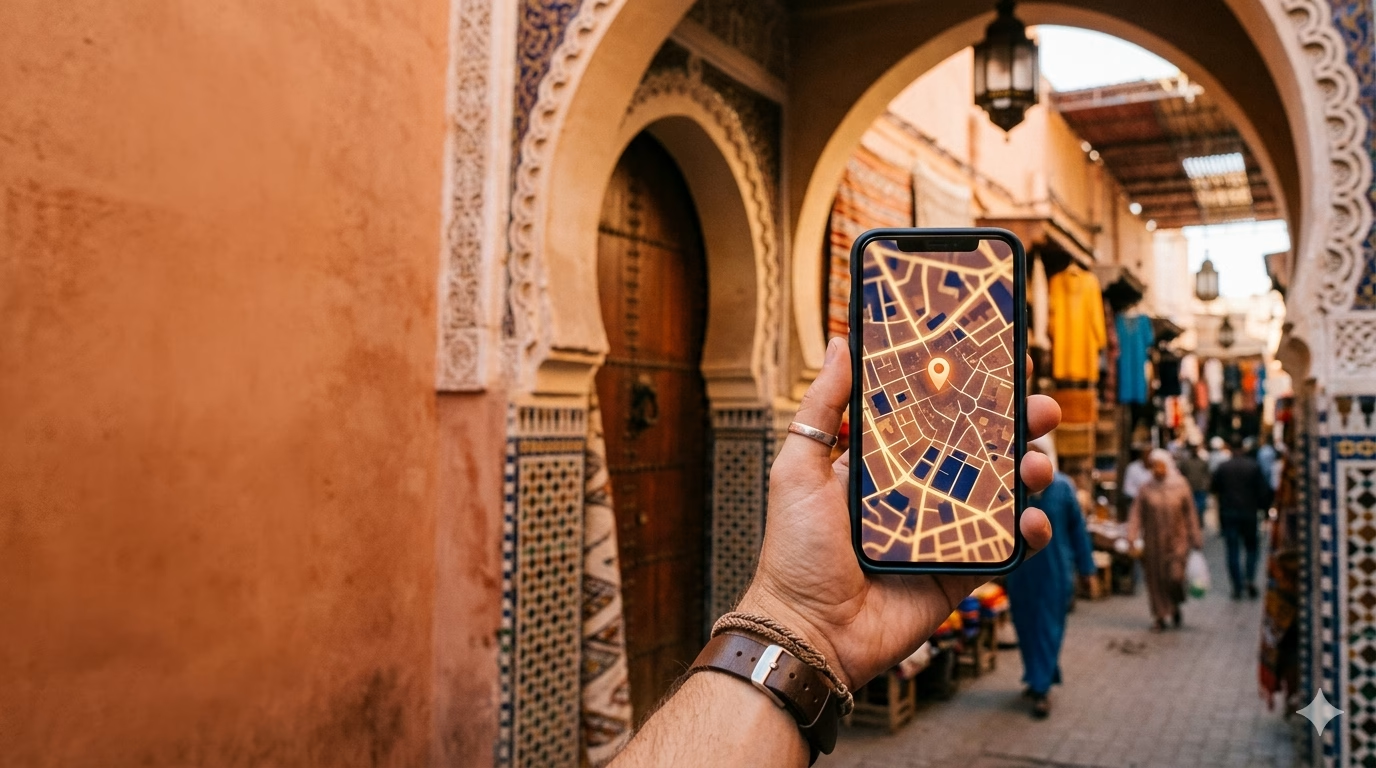
Morocco is the kind of trip where mobile data stops being a “nice-to-have” and turns into a daily tool: hailing a ride in Casablanca, navigating the medina lanes of Fez without getting spun around, or pulling up a pin in Marrakech when your riad is down an unmarked derb. An eSIM is the cleanest way to land with data already working—no airport kiosk queue, no fumbling with tiny SIM trays, no “my phone won’t read this SIM” panic while everyone behind you waits.
The biggest advantage is immediate connectivity. At Mohammed V (CMN) or Marrakech Menara (RAK), airport Wi‑Fi can be patchy or throttled when multiple flights arrive at once; that’s exactly when you want Google Maps, WhatsApp, and your booking confirmations to load instantly. With an eSIM, you can switch data on the moment you get signal and message your driver, open your riad’s door-code note, or check which exit to take.
Flexibility matters in Morocco because itineraries change fast—especially if you add a last-minute desert tour from Marrakech to Merzouga or decide to hop north to Chefchaouen. Instead of hunting for a shop, showing passport details, and swapping physical SIMs, an eSIM lets you top up or change plans digitally. Practical tip: keep your home SIM active for incoming bank SMS/2FA while using the eSIM for data, so you’re not locked out of payments mid-trip.
Compared with a traditional local SIM, eSIM also avoids the common friction points:
- No storefront runaround: Official carrier shops can have lines, limited English/French support, and variable setup help depending on the staff shift.
- No SIM loss risk: Morocco travel often includes quick hotel changes and day trips; tiny SIM cards disappear easily when you’re swapping them on a café table.
- Cleaner budgeting: You pick a fixed data allowance for the trip instead of guessing how many recharges you’ll need.
Watch out for this: many travelers assume “I’ll just use Wi‑Fi” and then discover their riad’s network dies at night or slows to a crawl when everyone streams. In older medinas, thick walls can also weaken indoor reception, so having data you can rely on outdoors—and quickly reconnecting when you step outside—makes a real difference.
Because staying connected is central to getting around Morocco smoothly, you want an eSIM that’s simple to activate and easy to reuse later—which is exactly what Telekonek is built for. Telekonek eSIM data plans work in 200+ countries, so your Morocco eSIM keeps working across the rest of your route. In the next section, we’ll break down what makes a Morocco eSIM genuinely reliable, so you can set up the best eSIM for Morocco travel with confidence on coverage, plan size, and real-world convenience.
What Makes a Morocco eSIM Reliable: Networks, Pricing & Red Flags
For the best eSIM for Morocco travel, the real differentiator isn’t a flashy app—it’s which Moroccan network your eSIM rides on, and whether it stays stable once you leave the big boulevards of Casablanca and Marrakech. In Morocco, coverage quality can swing street-by-street: you’ll feel it when Google Maps has to re-route through Fez’s tight alleys, or when your driver can’t find the exact derb your riad is on. That’s why staying connected matters here, and it’s where Telekonek earns its place—you activate before you land and keep the same setup across trips, which is useful if Morocco is one stop on a wider itinerary.
Network coverage (what actually matters on the ground): Telekonek runs on Orange (Morocco)—the operator formerly known as Méditel and now the country’s second-largest network. That gives you fast, reliable data across the cities where you’ll spend most of your time (Casablanca, Rabat, Marrakech, Fez, Tangier), backed by nationwide 2G/3G/4G coverage and 5G rolling out in the bigger urban areas. Like every network in Morocco, signal thins out in the deep desert and remote mountain passes—so the practical takeaway is simple: you’ll have dependable data through the cities and main intercity routes, and you should still download offline maps before long drives into the High Atlas or out toward Merzouga.
- On road trips (Atlas/Essaouira/Merzouga routes): you’re leaning on intercity and rural coverage—Orange handles the main routes well, but download offline maps for the deep-desert stretches where every network thins out.
- On city-only stays (Marrakech/Casablanca/Rabat): coverage is rarely the issue, so prioritize a generous data allowance and easy top-ups.
Pricing & plan structure (2026 realistic ranges): Morocco data plans fall into predictable buckets. Expect 1–3 GB starter plans around $5–$9, mid-tier 5–10 GB around $13–$22, and heavier 15–20 GB around $40–$60, usually valid 7–30 days. Match the bracket to your route and the number of days you’ll be on the ground, then pick the Telekonek plan that fits.
- Budget value: a 7–15 day plan with enough buffer for maps + messaging (often 3–5 GB).
- Convenience value: look for instant QR/manual activation and in-app top-ups so you’re not buying a second plan mid-trip—Telekonek handles both.
- Heavy use (TikTok/YouTube uploads): size up to 10–20 GB; Morocco mobile data is fast in cities, so you’ll burn through data quicker than you think.
What to confirm before you buy (and red flags): the most useful traveler reviews mention specific failure points: “worked in Chefchaouen but dropped in the Rif,” “couldn’t tether,” or “activation took 20 minutes.” Two things worth confirming on any plan are tethering/hotspot support (some restrict it) and latency (it matters for WhatsApp calls). Telekonek covers both, with predictable setup and straightforward plan terms—just pick the data size and validity that match your route.
Watch out for this common Morocco eSIM mistake: travelers often buy the cheapest plan, then discover it’s data-only with no local number—fine for WhatsApp, but awkward if a hotel/driver asks for a callable number. If you need calls, plan to use WhatsApp calling or keep your home SIM active for voice (with roaming off for data). Also, install the eSIM before you fly and save the activation details offline; a surprising number of airport arrivals run into weak Wi‑Fi right when they need it most.
How to Activate Your eSIM Before Arriving in Morocco
Do the activation at home (or on stable Wi‑Fi) and you land in Morocco with data already working. That matters more than people expect: the first hour is when you’re arranging a pickup at CMN, messaging a riad host for a pin in the Marrakech medina, or pulling up ONCF train times when your flight lands late. With Telekonek, you buy and activate in minutes before you fly, and you’re not redoing setup at every border if Morocco is part of a longer swing through Europe or the Middle East.
Step-by-step: purchase + install before you arrive
- Check your phone supports eSIM (and is unlocked). On iPhone: Settings → General → About → look for “Digital SIM.” On Android: Settings → Network & Internet → SIMs (varies by brand).
- Buy your Morocco data plan online with a start date that makes sense. If you’ll land late night and need maps right away, set it to start the day you depart (not the day you land) so you can troubleshoot while you still have home Wi‑Fi.
- Install the eSIM via QR code or in-app install. Use a laptop/tablet to display the QR and scan with your phone (cleaner than trying to scan on the same device).
- Name the line clearly (e.g., “Telekonek Morocco”) so you don’t accidentally burn roaming on your home SIM.
Pre-flight settings that prevent 90% of “it doesn’t work” problems
- Leave the eSIM ON, but set Mobile Data = OFF until boarding (so it doesn’t try to connect early and start the clock).
- Set Telekonek as “Mobile Data” once you’re ready, and keep your home SIM for calls/SMS if you need bank texts.
- Enable Data Roaming for the eSIM (counterintuitive, but many travel eSIMs require it to connect to partner networks).
When you land (CMN/RAK/FEZ): the 2-minute connection routine
- Turn on Airplane Mode OFF → wait 30–60 seconds.
- Go to Settings → Cellular/SIMs → select the eSIM → turn on the line and Mobile Data.
- If it’s stuck on “No Service,” switch Network Selection from Automatic to Manual and try another listed network.
Watch out for this common Morocco arrival mistake: relying on airport Wi‑Fi to finish activation. At CMN and RAK, Wi‑Fi can be inconsistent and sometimes needs a browser pop-up login—exactly when you’re juggling bags and immigration. Install the eSIM profile before you fly, screenshot your QR/activation details, and keep them saved offline (Files/Notes) so you’re not hunting through email with no signal.
Best eSIM Data Plans for Short vs. Long-Term Stays
Choosing the best eSIM for Morocco travel comes down to one blunt question: how many days are you actually on the ground, and what will you use data for? In Morocco, light users can get by with maps + messaging, but the moment you’re booking a Careem ride in Casablanca, sharing your live location with a riad host in Marrakech’s medina, or pulling up an offline-sounding Google Maps reroute in the Rif, you’ll burn through more than you expect. Staying connected matters here—especially if Morocco is one stop on a longer itinerary—and with Telekonek you don’t have to redo your setup when you hop onward.
Short stays (2–5 days): prioritize speed and simplicity. For a long weekend in Marrakech + a day trip to the Atlas, a small plan is usually enough—think 1–3 GB if you’re mostly on hotel Wi‑Fi, or 3–5 GB if you’ll be navigating all day and uploading stories. In 2026 pricing terms, small buckets land around $5–$15; Telekonek’s easy top-ups cover you when you underestimate your usage.
- Best for: city breaks (Marrakech, Rabat), guided tours, travelers who use Wi‑Fi at the riad.
- Get this if you: use Google Maps, WhatsApp, and occasional ride-hailing.
- Avoid if you: plan to hotspot a laptop or stream video in cafés.
One-week classic route (6–10 days): size up to avoid mid-trip friction. The “Casablanca → Rabat → Fez → Sahara → Marrakech” loop is a data trap: long driving days mean you’ll tether for booking confirmations, translate menus on the fly, and message drivers/hosts across spotty stretches. A 5–10 GB plan is the comfortable middle—enough to stay functional without hunting Wi‑Fi every evening.
- Best for: self-planners taking ONCF trains and arranging transfers via WhatsApp.
- Convenience win: a plan with top-ups so you don’t have to reinstall anything mid-medina.
Long stays (2–8+ weeks): think “monthly rhythm,” not “tourist week.” If you’re slow-traveling in Taghazout, working remotely in Gueliz, or renting in Agdal, you’ll want either a 10–20 GB bucket or a plan structured for repeat renewals. Expect typical ranges around $20–$50/month depending on allowances. Telekonek is handy here because you can keep the same eSIM profile and scale up as your routine changes—especially if you add side trips outside Morocco.
- Best for: remote workers, students, people using hotspot as backup internet.
- What to look for: easy renewal, clear fair-usage terms, and stable coverage beyond city centers.
Watch out for this common Morocco mistake: people buy a tiny plan assuming they’ll “just use café Wi‑Fi,” then discover the Wi‑Fi is behind a login they can’t receive (because they don’t have data), or it’s too weak to load a map pin when a taxi drops them at the wrong gate of the medina. If you’re arriving at night, landing in a new city, or meeting a driver at a busy spot like Bab Doukkala (Marrakech) or near Fès el-Bali access points, err one size bigger—or choose a Telekonek plan you can top up instantly without scrambling for connectivity.
Essential Apps to Download Before Traveling to Morocco
Navigation + getting un-lost: Download Google Maps and Maps.me before you fly. Google is excellent for city driving and walking directions, but in the Fez el-Bali and Marrakech medina, GPS can drift and lanes are unnamed—having a second map app with downloadable areas saves time when you’re standing at a dead-end derb. With a Morocco eSIM (Telekonek makes it easy to land with data already live), you can also share a real-time pin with your riad host instead of trying to describe “the third left after the spice shop.”
Trains, buses, and intercity timing: Install ONCF Voyages for train schedules and tickets on routes like Casablanca–Rabat or Tangier–Kenitra, and keep CTM handy for longer bus legs (e.g., Marrakech → Essaouira). These apps are most useful when plans change—Morocco runs on “close enough” timing, and being able to check the next departure while you’re already at Casa Voyageurs is a real stress reducer. Data matters here; station Wi‑Fi is inconsistent, so your eSIM ends up being the reliable option.
In-city rides (and avoiding negotiation fatigue): Download Careem for Casablanca (and where available) and inDrive in cities where it’s active. They’re not perfect, but they give you a digital trail, pickup pins, and an arrival estimate—useful when you’re trying to meet a driver outside the medina walls. Watch out: drivers sometimes stop on the “main road” side of a gate (Bab) while you’re inside the maze; message your exact landmark and send your live location over WhatsApp.
Messaging, translation, and quick problem-solving: WhatsApp is the default for riads, guides, and drivers—save it with your home number and keep notifications on. For language, use Google Translate and download French plus Arabic offline packs; camera translation is a lifesaver for menus in small spots where the “tourist English” version quietly doubles prices. With the best eSIM for Morocco travel, you can translate on the fly in markets and still have enough data left for maps and calls.
Money + payments: Bring XE Currency (or a similar converter) and your bank’s app for card controls. Morocco is cash-heavy, but hotels and nicer restaurants do take cards—being able to lock/unlock a card instantly is useful if an ATM eats it or a payment terminal feels sketchy. Your eSIM data also helps you verify charges immediately instead of discovering surprises later on hotel Wi‑Fi.
- Download before takeoff: offline maps areas (Marrakech, Fez, Tangier), Translate language packs, and your ONCF/CTM accounts.
- What goes wrong: app logins that require SMS/2FA can fail abroad if you can’t receive texts—set up authenticator apps and confirm access while you’re still at home on stable Wi‑Fi.
Keeping Connected: Wi-Fi vs. eSIM in Morocco
In Morocco’s big cities, Wi‑Fi is easy to find—but it’s rarely consistent enough to be your only lifeline. In Casablanca and Rabat, most modern cafés and chain hotels have usable Wi‑Fi, and coworking spots like New Work Lab (Casablanca) or The Spot (Rabat) are usually stable for calls. In Marrakech’s Gueliz you’ll often get decent speeds, but inside the medina (especially deep near Jemaa el‑Fna’s lanes) Wi‑Fi can drop to a crawl once the evening crowds arrive and everyone piles onto the same router.
Where Wi‑Fi falls apart is the exact Morocco you came for: riads with thick walls, valleys, and long road days. In Fez el‑Bali, I’ve had riad Wi‑Fi work perfectly in the courtyard and die completely two rooms away. In Chefchaouen, it’s common to have strong Wi‑Fi in a restaurant dining room and nothing on the terrace where you actually want to sit. On the road—say Marrakech → Aït Benhaddou → Ouarzazate—your “Wi‑Fi plan” becomes a series of hopes and prayers at roadside stops.
That’s why an eSIM is the practical backbone for most trips: maps that refresh while you’re walking, messaging a host for a new pin, confirming an ONCF platform change, or paying a deposit when a guesthouse asks for a quick transfer. Having reliable data matters here, and Telekonek lets you activate before you land—useful if Morocco is one leg of a longer swing.
- Use Wi‑Fi when: you’re uploading photos/videos in your riad, doing long WhatsApp calls, or working from a coworking space (less battery drain, often faster).
- Use eSIM when: you’re navigating medina alleys, meeting a driver at a busy pickup point (CMN/RAK arrivals), checking bus times mid-route, or translating on the fly in a shop.
Watch out for: “free café Wi‑Fi” that requires an SMS code. If you’re on a data-only setup, you can get stuck at the login screen. Also, many public networks in tourist-heavy spots are unsecured—fine for looking up opening hours, not ideal for logging into banking. The smooth setup is: use Wi‑Fi for heavy tasks, but keep your Telekonek eSIM active so you’re never stranded when the router (or the login page) decides not to cooperate.
Staying Safe Online While Traveling with eSIM
In Morocco, the biggest online-security risk usually isn’t your eSIM connection—it’s the Wi‑Fi you hop onto when you’re tired, jet-lagged, and just want to upload photos from a café off Jemaa el‑Fna or a riad lounge in the Fez medina. An eSIM keeps you off a lot of sketchy networks by default, which is why staying connected matters for cybersecurity as much as convenience; with reliable mobile data you’re less tempted to join “Free_Riad_WiFi_NoPassword” just to check a bank app. Telekonek is especially handy if Morocco is one leg of a longer trip—your setup and security habits stay consistent across borders.
Use a VPN strategically: it’s most valuable on public Wi‑Fi (airport, cafés, hotel lobbies), and less critical when you’re on cellular data. A VPN won’t fix everything, but it does reduce the odds of someone snooping on what you’re doing on shared networks.
- Turn the VPN on before you join public Wi‑Fi (don’t wait until after you’ve opened email).
- Don’t do financial logins (banking, card portals, crypto) on café Wi‑Fi near busy tourist zones like Gueliz or the Hassan II Mosque area—use your eSIM data instead.
- Watch out for “captive portals” that ask for extra details (passport number, full birthdate). Legit hotels may ask room number + name; anything beyond that is a red flag.
Learn to spot the common Morocco travel traps: “evil twin” hotspots and fake QR codes. In Marrakech and Tangier it’s not unusual to see multiple networks with nearly identical names (e.g., “HotelXYZ” vs “HotelXYZ_Guest”). If you must use Wi‑Fi, confirm the exact network name with staff and check whether it’s password-protected.
- QR-code menus: before you open the link, look at the domain. If it’s a random string or a URL shortener, use mobile data and don’t download files.
- Login pages: if a Wi‑Fi login page asks you to “sign in with Google/Apple” to get internet, skip it—use your eSIM.
Protect your personal info on the device itself—this is what goes wrong most often. Phones get left in taxis, snatched from café tables, or simply borrowed “for a quick call.” Set a strong passcode (not a 4-digit code), enable biometric unlock, and turn on Find My (iPhone) or Find My Device (Android) before you fly.
- Enable 2FA via an authenticator app (not SMS) for email, banking, and social accounts.
- Disable auto-join Wi‑Fi so your phone doesn’t silently reconnect to a network you used once in Casablanca and forgot about.
- Use an eSIM PIN if available and keep your phone’s lock-screen notifications minimal (hide message previews).
One practical routine that works in Morocco: use your Telekonek eSIM for anything sensitive (payments, ride bookings, boarding passes), and reserve Wi‑Fi for heavier, low-risk tasks (backups, streaming). If your data is steady, you can also keep location sharing on while navigating medina alleys—helpful if you’re meeting a guide near Bab Bou Jeloud in Fez or coordinating a pickup point outside a car-free zone—without exposing yourself to whatever network happens to be closest.
FAQs: Your Top eSIM Questions Answered
Is my phone compatible with an eSIM in Morocco? Most newer iPhones (XS/XR and later) and many recent Samsung/Google models support eSIM, but don’t guess—check your exact model in Settings → Cellular/Mobile Data (iPhone) or Connections → SIM manager (Android). The second gotcha is carrier lock: a locked phone won’t accept any eSIM profile, even if the device supports eSIM. If you still owe installments, call your home carrier before you fly and ask specifically, “Is my device unlocked for eSIM?”
Can I keep my WhatsApp number and still use a Morocco eSIM? Yes. Install the eSIM for data and keep your WhatsApp tied to your original number; just don’t “change number” inside WhatsApp. If you need your home SIM active for incoming SMS (bank codes), use dual SIM: set your Telekonek eSIM as Cellular Data, and leave your home line for Voice/SMS—but switch off Data Roaming on the home line to avoid surprise charges.
Why does my eSIM show bars but no internet? The three common fixes in Morocco are: toggle Airplane Mode for 10 seconds, confirm Cellular Data is set to the eSIM line (not your home SIM), and check the eSIM line has Data Roaming enabled (many travel eSIMs require it). On Android, also verify the APN didn’t auto-fill incorrectly—if data won’t start after 2–3 minutes, delete the APN and let it repopulate, then reboot.
Will an eSIM work in the medinas and on road trips? In Marrakech/Fez medinas, coverage is usually fine but GPS can bounce between alleys; the real win is being able to share a live pin with your riad host when a derb isn’t signed. On longer drives (High Atlas routes, stretches between Essaouira and Agadir, or out toward the desert), you’ll hit pockets where data drops—download offline maps before you leave town and queue up messages to send when signal returns.
Should I buy a local physical SIM instead? A local SIM can be a good value if you want a Moroccan number for local calls, but expect friction: airport kiosks can be slow, some shops request passport details, and activation can take longer than you want when you’re trying to meet a driver at CMN/RAK. If you go local, buy in a major-city carrier store (Casablanca Gauthier, Rabat Agdal, Marrakech Gueliz) rather than a tiny stand, and test data on the spot before you walk away.
How much data do I actually need? For Morocco, budget roughly: 1–2 GB/week for maps + messaging, 3–6 GB/week if you’re posting lots of photos/videos, and 8–12 GB/week if you’re tethering a laptop in riads where Wi‑Fi collapses at night. If you’ll be booking trains, rides, and accommodations on the move, staying connected is important—and with Telekonek you don’t have to redo setup at every border if Morocco is one leg of a longer trip.
Practical last-mile tip: screenshot your riad’s address in French/Arabic, save the Google Maps pin, and keep a small “connectivity buffer” (at least 500 MB) for arrival day—this is when things go wrong (Wi‑Fi captive portals, drivers asking for a live location, last-minute gate changes). Grabbing your eSIM before you fly is the simplest way to avoid the airport SIM hunt; set up Telekonek so you land with working data and can top up as you go.