
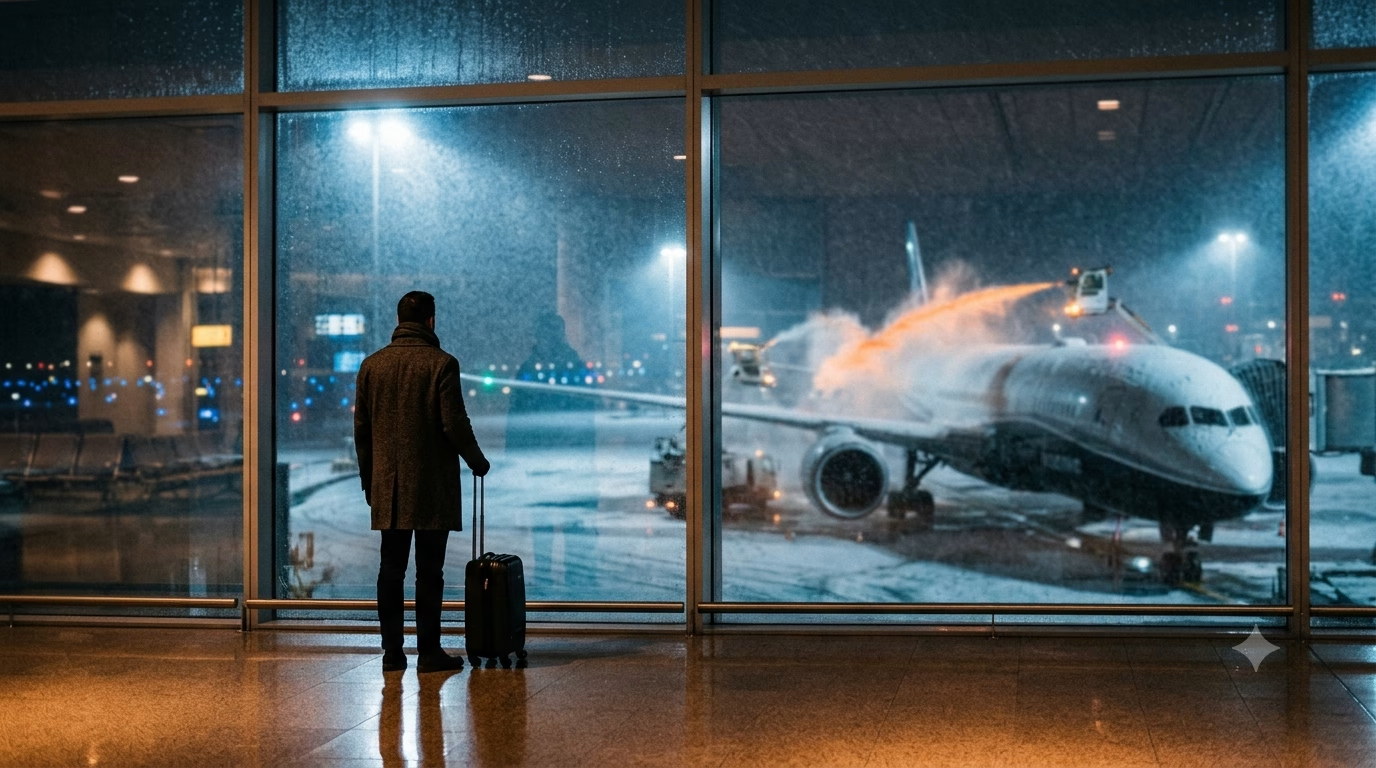
Navigating Toronto Pearson: Winter Challenges and Solutions
Winter at Toronto Pearson (YYZ) is less about snowflakes and more about timing. The airport runs well, but storms can ripple across the whole system fast. In a true Toronto Pearson airport guide winter travel moment, the biggest wins come from planning for delays, choosing the right terminal moves, and keeping your ground transport flexible.
Challenge #1: Weather delays that stack up. A snow squall in the GTA can slow de-icing, push back departures, and trigger missed connections. Even if your flight is “on time,” the aircraft might be late arriving from another city. Build a buffer that matches winter reality: 90 minutes for domestic connections and 2–3 hours for U.S. or international is a safer winter target.
Solution: put your key flight tools on your phone before you leave home. Reliable data matters here because gate changes and rebook links often hit your phone first. With Telekonek Canada eSIM, you can land with working data already live, which helps when airport Wi‑Fi is crowded. Telekonek also offers eSIM data plans that work in 200+ countries, so your connection doesn’t fall apart on multi-country winter trips.
Challenge #2: Getting between Terminal 1 and Terminal 3 in bad weather. Pearson is spread out, and winter wind makes outdoor transfers miserable. If you pick the wrong pickup spot or meet-up point, you can waste 20–30 minutes just regrouping.
Solution: use the Terminal Link train for terminal-to-terminal moves. It’s indoors and fast, and it keeps you out of icy curb zones. When you arrange pickups, confirm the terminal and level (arrivals vs departures). A surprising number of winter “missed rides” are just a level mismatch when everyone is rushing.
Challenge #3: Ground transportation gets messy during storms. After a cancellation wave, the rideshare queue can surge and taxi lines can spike. Highway 427 and the 401 can clog, and even a short hotel transfer can turn into a long crawl.
- Best for predictability: choose the UP Express to downtown when roads look sketchy. It avoids traffic and keeps your arrival time stable.
- Best for door-to-door: taxis and rideshares work well, but expect longer waits and occasional pickup-zone confusion in heavy snow.
- Best for groups: pre-booked shuttles can be cost-effective, but delays compound when they’re collecting multiple parties.
Watch out for this winter trap: curbside pickups get rerouted. If you follow an old screenshot or last year’s instructions, you can end up in the wrong “zone” and lose your driver. Keep a live map open and message your driver with a clear landmark like a door number or column letter. Telekonek data helps here because SMS-only messaging can lag when networks are busy.
Takeaway: Winter at YYZ is manageable if you pad connection times, use Terminal Link for transfers, and keep dependable mobile data ready for fast rebooks and pickup coordination.
Essential Packing Tips for Winter Travelers
Winter travel through Pearson goes sideways for one reason: you’re stuck in between places. You’re not fully indoors, not fully outside. You’ll bounce between curb, garage, shuttle, jet bridge, and a seat by a drafty gate. Pack for those micro-climates, not just “Toronto weather.”
Takeaway: Dress so you can handle 10 minutes outside and 3 hours inside without sweating or freezing.
Use a simple 3-layer system (carry-on friendly). Your base layer should be thin and warm, like merino or synthetic. Skip cotton; it stays wet and cold if you sweat during a sprint to the gate. Your mid-layer is insulation (fleece or light down). Your outer layer needs wind protection more than bulk.
- Base: merino long-sleeve + thermal leggings (Dec–Feb). Pack one extra set if you’re connecting.
- Mid: zip fleece or packable down jacket. A zip is key for overheating in terminals.
- Shell: waterproof/windproof jacket with a hood. Toronto slush blows sideways near curb pickup.
Takeaway: Layers beat one heavy coat when you’re moving between Pearson’s warm terminals and icy curbs.
Footwear is where most people lose. Pearson sidewalks and parking areas can be wet-slick even when it’s not “snowing.” Wear boots or sneakers with real tread, not smooth soles. If you’re heading straight to meetings, pack your dress shoes and wear the grippy pair through the airport.
- Best choice: waterproof ankle boots with tread + wool socks.
- Backup: toss 1–2 pairs of dry socks in your personal item. Wet socks ruin your day fast.
- Watch out for: “fashion” winter boots with hard soles. They slide on slush-polished concrete.
Takeaway: Wear traction through YYZ; stash the nice shoes for later.
Small accessories make the biggest difference during delays. A thin beanie and a neck gaiter weigh almost nothing, but they fix the cold air you feel at doors and gate areas. Bring gloves that still let you use your phone. If you’re checking a coat, keep these in your carry-on so you’re not bare-handed at arrivals.
- Must-pack: beanie, touchscreen gloves, neck gaiter.
- Nice-to-have: hand warmers for long curbside waits or ride-share pickups.
Takeaway: Pack the “tiny warmth kit” in your personal item, not your checked bag.
Winter-proof your carry-on like you expect a reroute. If your checked bag gets delayed, you’ll want one full “reset” kit. Keep it light but complete: meds, charger, toiletries, and one change of clothes. Add lip balm and hand cream—Pearson’s heated air can feel like a desert after a few hours.
- Delay kit: underwear + base layer + socks + mini deodorant + toothbrush.
- Health: any daily meds (at least 48 hours), pain relief, cough drops.
- Comfort: compact water bottle (fill after security), snack with protein, eye mask.
Takeaway: Pack so you can survive an overnight delay without your checked bag.
Keep your phone usable in the cold. Batteries drain faster in low temps, especially if you’re waiting outside for pickup. Bring a power bank and a short cable you won’t lose in a seat pocket. And set up your data before you land so you can rebook, message rides, and pull up maps the second you get signal.
Load your Telekonek Canada eSIM before wheels-down. That way, if a storm shifts your plans, you can sort hotels, ground transport, and rebooking without hunting for Wi‑Fi.
Takeaway: A power bank plus Telekonek data saves you when winter disruptions hit at the curb.
Airport Amenities to Brighten Your Winter Experience
Winter at Pearson feels easier when you treat the airport like a small city. You’ve got solid places to sit, eat, shower, and reset—if you know where to look before the gates get packed. Keep your Telekonek Canada eSIM active so you can check lounge access rules, menus, and gate changes without hunting for a working outlet or stable Wi‑Fi.
Lounges: your best “winter delay insurance.” When snow slows de-icing, the loudest part of Pearson is usually the gate area. A lounge gives you quieter seating, better power access, and real food instead of a snack hunt. In Terminal 1, look for Air Canada Maple Leaf Lounges (Domestic/Transborder/International zones) and the Plaza Premium Lounge (International). In Terminal 3, Plaza Premium is the common go-to for many travelers.
- Worth it when: you’re facing a 2+ hour delay, traveling with kids, or need a shower after an overnight connection.
- Watch out: some lounges restrict entry when they’re full. Don’t arrive 15 minutes before boarding and expect space.
Warm food that actually fixes your mood. Pearson has the usual quick options, but winter calls for “sit-down warm.” In Terminal 1, Wahlburgers is a reliable hot meal stop near the D gates, and Paramount Fine Foods is a good pick when you want soup, shawarma, or something filling that isn’t fried. In Terminal 3, you’ll find steady comfort options like Thai Express and pub-style plates that are better than surviving on cookies from a kiosk.
Shopping that’s practical, not touristy. If you forgot winter basics, the best buys are the boring ones: touchscreen gloves, a neck warmer, lip balm, and a phone cable. Pearson’s convenience and book shops are where you patch the “small mistakes” that become big problems during a long delay. Use Telekonek to pull up your exact charging port type (USB‑C vs Lightning) before you buy the wrong cable in a rush.
Quiet corners and simple recovery. Your body gets wrecked by dry air, heat blasts, and long sits. Look for calmer seating away from the main gate lanes, and pace your caffeine—too much coffee plus winter dehydration is a headache recipe. If your connection is tight, don’t hide in a far corner without checking your gate movement; Pearson can switch gates fast during irregular operations.
- Quick reset checklist: refill your water bottle, eat something hot, charge to 80%, then re-check your gate and boarding time.
Takeaway: In winter, Pearson’s best amenity is a plan—use lounges for delays, choose one warm meal spot, and keep Telekonek data on so changes don’t catch you cold.
Getting to and from the Airport in Winter: Navigation Made Easy
In winter, getting to and from Pearson is all about picking the option that still works when roads slow down and curbside gets chaotic. Your biggest enemy is not distance. It’s unpredictable timing, especially during snow bursts around the 401, 427, and 409 ramps into the terminals. Keep your Telekonek line active so you can reroute fast if a pickup area changes or a train delay pops up mid-trip.
UP Express (Union Station ↔ Pearson) is the most winter-proof choice for downtown. Trains run frequently, and the ride is about 25 minutes from Union to Pearson. Expect fares in the mid-teens CAD in 2026 depending on how you pay and discounts. The key winter advantage is simple: rail doesn’t care about a fender-bender on the 427.
If you’re staying outside downtown, TTC can work, but it’s more sensitive to weather and crowding. The common budget move is TTC Line 2 to Kipling, then the 900 Airport Express bus to Pearson. It’s usually 60–90 minutes door-to-door from many neighborhoods, and a single TTC fare covers the transfer within the time window. Use Telekonek to check real-time arrivals before you commit—missing one bus in slushy traffic can add 20–30 minutes fast.
Taxis and ride-share are the easiest when you’ve got luggage, kids, or a late landing. From downtown, you’ll often see CAD $50–$80 in normal conditions, and CAD $80–$130+ during storms or surge pricing (2026 ranges). In winter, the “gotcha” is pickup logistics:
- Ride-share zones can shift by terminal and time. Confirm the exact door and level before you walk outside.
- Battery drain is real in the cold. Don’t step curbside with 3% phone power and no plan.
- Driver cancellations spike during heavy snow. Screenshot your pickup instructions and keep a taxi fallback.
If you’re driving and parking, add extra time for garage navigation and snow-slowed walking routes. The terminals can feel close, but moving from a cold garage, through elevators, then across to check-in can quietly eat 20 minutes. Telekonek helps here too: you can pull up parking receipts, shuttle info, and terminal maps without fighting spotty indoor signal.
Before you leave, lock in your “winter buffer.” For public transit, aim to arrive 45–60 minutes earlier than you would in summer. For car trips, build 60–90 minutes of slack when snowfall is active or freezing rain is forecast.
Takeaway: In winter, take UP Express when you can, treat TTC as a budget option with extra buffer, and use Telekonek to pivot fast when curbside and traffic plans change.
Set up your Telekonek Canada eSIM before you travel so you can reroute, message drivers, and track delays the moment weather starts stacking up.
Check UP Express schedules and fares before you commit to your airport run.
Staying Connected: Mobile Data and eSIM Options
Winter at Pearson is when a “nice to have” connection becomes your backup plan. You’re juggling gate changes, de-icing delays, and pickup zones that shift with road closures. Reliable data also keeps your ride moving when you have to reroute fast. With a Telekonek Canada eSIM on your phone, you can land already connected and skip the scramble for a kiosk or a stable airport signal.
Start with what you’ll actually use data for at YYZ. In winter, it’s less about scrolling and more about timing. You’ll want live flight updates in your airline app, texts/calls with your driver, and maps that don’t freeze when you walk into a parking garage. Download the essentials before takeoff (offline maps for Toronto, boarding passes, and your hotel address). Then you’re not stuck if Wi‑Fi drops at the worst moment.
Airport Wi‑Fi is helpful, but it’s not your whole plan. Pearson’s free Wi‑Fi is fine for quick tasks like messaging or checking a gate. The problem is consistency: busy evenings, lounge crowding, and moving between Terminal 1 and Terminal 3 can mean re-logging, slow speeds, or dead spots near packed gates. The “what goes wrong” moment is when you need a rideshare and your phone won’t load the pickup pin outside in the cold. That’s exactly when having Telekonek data already running pays off.
eSIM vs. physical SIM vs. roaming (what actually makes sense in winter). Here’s the practical tradeoff when you’re dealing with snow, gloves, and low patience:
- Telekonek eSIM: No store visit, no tiny SIM tray to lose, and you can set it up before you fly. It’s the cleanest option when you might land late and just want Google Maps to work immediately.
- Physical SIM: Works, but buying one on arrival can cost time and energy. In winter, standing around after baggage claim is how you miss a train or get stuck in a long taxi queue.
- Home-carrier roaming: Convenient, but costs can spike fast if your plan isn’t truly “Canada-friendly.” One heavy day of maps, uploads, and hotspot use during delays can surprise you.
Two quick setup moves that prevent the usual headaches. First, install and activate your Telekonek eSIM while you still have solid Wi‑Fi (home, hotel, or even onboard if your flight offers it). Second, label it clearly in your phone settings (example: “Canada Data”) so you don’t accidentally burn data on the wrong line when you’re tired. If you keep your home SIM active for texts, switch data to Telekonek and turn off “data roaming” on your home line.
How much data do you need for a winter Pearson trip? For a simple arrival + city transfer, 1–3 GB is usually enough. If you’ll be hotspotting a laptop during a delay, bump that up fast.
- Light use (1–3 GB): maps, messaging, boarding passes, rideshare pickups
- Medium (5–10 GB): add video calls, lots of photo uploads, regular browsing during delays
- Heavy (10+ GB): laptop hotspot, streaming, long disruption days
And if Pearson is just one stop on a bigger winter run, keeping the same workflow helps. Staying connected matters for this whole Toronto Pearson airport guide winter travel plan, especially when weather breaks your schedule. Telekonek offers eSIM data plans that work in 200+ countries, so you can use the same setup style on your next leg without relearning everything mid-trip.
Takeaway: At YYZ in winter, treat mobile data like gear—get Telekonek set up before you land, use Wi‑Fi as a bonus, and you won’t lose time when plans change fast.
Food and Drink: Winter Warmers at Pearson
Winter delays at Pearson have a rhythm: you deplane warm, you wait in a drafty corridor, then you camp near a gate that suddenly changes. Food isn’t just comfort here. It’s how you stay steady when you’re cold, tired, and the clocks start slipping. Keep your Telekonek line on so you can pull up live menus, mobile ordering, and your gate info without bouncing between weak Wi‑Fi spots.
Terminal 1 (domestic + international) is your best bet for “real meal” warmth. Look for fast spots where you can grab something hot in under 10 minutes, then move back to a quieter seating area. In winter, the winning order is usually soup + carbs + a hot drink you can carry.
- Tim Hortons (T1 + T3): The easiest warm-up. Go for a double-double coffee or steeped tea plus a soup-and-sandwich combo when you need heat and calories fast. Expect ~CAD $6–$14 in 2026, depending on size and add-ons.
- Booster Juice (often in T1): If you’re sick of heavy food but still need warmth, order a hot oatmeal (when available) and a smoothie for vitamins. Good when you’re connecting and don’t want a greasy meal sitting in your stomach.
- Full-service Canadian comfort (varies by concourse): In winter, aim for poutine, mac and cheese, burgers, or a hot breakfast plate. It’s the kind of food that keeps you full through a delay and helps you avoid over-snacking on expensive “grab-and-go” items.
Terminal 3 is faster for quick warm-ups, but seats fill up hard. Your move is to buy the hot drink first, then hunt a spot with power. If you’re relying on delivery apps, watch out: some couriers won’t clear security, and many restaurants won’t send orders past certain checkpoints. Telekonek data helps you confirm what’s actually open in your area before you commit to a long walk.
What goes wrong in winter: you wait too long, lines spike after a delay, and the “quick bite” becomes a 35-minute standstill. Build a simple rule: if boarding is 60–90 minutes away, eat now. If it’s under 45 minutes, stick to a hot drink + something portable (like a bagel or soup) so you’re not sprinting with a tray when the gate flips.
If you want your maps, menus, and mobile orders to work the second you land, set up your Telekonek Canada eSIM before you travel. One hot meal + one working connection is the easiest winter reset at YYZ.
Navigating Security and Customs During Peak Winter Travel
At Pearson in winter, security and customs don’t just get “busy.” They get lumpy. One late bank of arrivals can dump a full plane’s worth of people into one hallway. Add bulky coats, wet boots, and carry-ons stuffed with layers, and the whole line slows down.
Your best move is to treat timing like a tool. For early mornings (roughly 5:00–8:00), the pressure point is usually security for domestic and U.S. departures. Late afternoon into evening is when international arrivals can stack, especially on storm days. Keep your Telekonek Canada eSIM on so you can pull up live updates, airline alerts, and pickup messages while you’re in line.
Security: how to cut friction in winter gear. Coats and boots are the silent time-killers. If your boots have metal shanks or big buckles, they’re more likely to trigger a rescreen. If your jacket pockets are full of coins, keys, hand warmers, and lip balm, you’ll repack at the belt while everyone behind you compresses in.
- Before you join the line, move everything into one jacket pocket or pouch, then empty it into your bag in one go.
- Wear slip-on shoes if you can. If you can’t, loosen laces early so you’re not fighting frozen knots at the bins.
- Liquids strategy: put your 100 ml items in one clear bag at the very top of your carry-on. Winter “extras” like hand sanitizer and face cream are the usual last-minute offenders.
- Battery rule of thumb: keep power banks and spare camera batteries easy to show. They can trigger a bag check if buried under sweaters.
Watch out for the “wrong line” trap. Pearson has multiple screening entrances depending on your area and time of day. In winter crowds, it’s easy to join a long queue that’s feeding a different checkpoint than the one closest to your gates. If you’re unsure, ask staff before you commit—switching later can cost you 10–20 minutes when lines are roped off.
Customs/immigration: win with prep, not speed. The line moves fastest when you’re ready at the front. Have your passport open to the photo page, and keep your address in Canada (hotel name + street) saved in your phone notes. With Telekonek data running, you can pull up that address, your onward booking, or a contact number even if airport Wi‑Fi is overloaded.
- Declare smart: if you’re carrying food gifts (cheese, meat, fruit), declare them. Winter travelers get flagged on “packed snacks” more than they expect.
- Receipts in one place: if you shopped abroad, keep receipts together. Digging through a wet backpack at the counter is how delays snowball.
- Connection mindset: if you have a tight connection, tell an officer right away. They won’t always move you, but they can direct you to the correct lane.
If you want your phone to be useful in the longest lines, set up your Telekonek Canada eSIM before travel day so you’re connected the second you land.
Takeaway: At Pearson in winter, prep your pockets and documents before the line—then use Telekonek data to handle changes without losing your place.
Weather-Related Travel Alerts: Staying Informed
In a Toronto Pearson airport guide winter travel situation, the fastest way to lose control is relying on one “status” screen. Winter ops change in layers: runway conditions, de-icing queues, aircraft arriving late from another city, and then crew timing. You want a few live sources, plus a simple decision rule for when to pivot. Keep your Telekonek Canada eSIM active so your alerts still land when Pearson Wi‑Fi gets slow or you’re stuck in a concrete stairwell with weak signal.
Set up a 3-alert system before you leave for the airport. Do this while you still have power and calm. Don’t wait until you’re at the gate and the crowd is loud.
- Airline app notifications (push + SMS if available): gate changes, boarding time shifts, and rebooking links tend to appear here first.
- Airport and flight tracking: use Pearson’s official updates plus a flight tracker for inbound aircraft. If your plane is late getting to Toronto, your “on time” departure may be fiction.
- Weather warnings: Environment and Climate Change Canada alerts tell you if it’s a quick squall or an all-day system that will snowball delays.
Bookmark the pages you’ll need when things go wrong. In winter, the critical moment is usually 20 minutes after the first delay posts. That’s when seats on the next flights start disappearing and hotel rates jump.
- Toronto Pearson (YYZ) official site for terminal maps, service notices, and facility updates.
- Government of Canada weather warnings to see if the GTA is under a snowfall, freezing rain, or wind warning.
- Your airline’s “manage booking” page (save it to your phone home screen). This is often faster than standing in a service line.
Know what “cancelled” really means at Pearson in a storm. Sometimes your flight isn’t cancelled—it’s “delayed” until it quietly rolls into the next day. If you see the delay jump in big chunks (for example, 45 minutes becomes 2 hours, then 4), start working your Plan B immediately on your phone. With Telekonek data, you can rebook while walking to a quieter corner, instead of waiting for airport Wi‑Fi to load a page that times out.
Pick a contingency plan based on your trip type. These are the choices that usually save you the most time and money.
- If you’re connecting: look for earlier flights out of your origin city, even if it means a longer layover at YYZ. Earlier departures tend to beat de-icing backlogs.
- If you’re starting in Toronto: consider switching to the first flight next morning instead of “chasing delays” all evening. You’ll avoid repeated boarding calls that get pulled back.
- If you’re meeting someone curbside: keep one live chat thread going and share a screenshot of your pickup door and terminal. Pickup zones shift fast when traffic stacks.
Watch out for the classic winter trap: de-icing time is not shown as “delay.” Your boarding can look normal, then you sit on the plane for 45–90 minutes waiting your turn. Keep water and a snack accessible, and download anything you’ll need offline before you board. If your Telekonek connection is solid at the gate, send your “likely takeoff time” update before you lose the best signal on the tarmac.
Takeaway: Use airline + airport + official weather alerts together, and trigger Plan B as soon as delays start jumping in big steps.
Things to Do in Toronto During Layovers in Winter
Winter layovers at Pearson only pay off if you treat “Toronto” like a timed mission. If you’ve got under 6 hours, stay close. If you’ve got 6–10 hours, you can do one proper neighborhood. Build in winter padding: 60–90 minutes each way for airport-to-city moves, plus extra time for coat checks and slushy sidewalks.
Best quick win (4–7 hours total): Downtown by UP Express + PATH. Take the UP Express to Union Station, then duck into the PATH—Toronto’s underground walkway network. You can bounce between Union Station, Brookfield Place (Allen Lambert Galleria), the Eaton Centre, and City Hall with minimal time outside. This is the move when windchill is nasty or your boots aren’t made for ice.
Culture without weather stress (6–10 hours): pick one heavyweight museum. The Royal Ontario Museum (ROM) and the Art Gallery of Ontario (AGO) are both easy “one-ticket, two-to-three-hours” stops with warm cafés and proper coat check. Expect CAD $25–$35 for general admission in 2026, plus extra for special exhibits. The watch out: weekend afternoons can mean long entry lines, even in winter. Buy timed tickets online and screenshot them before you head underground.
Outdoor winter option (only if it’s clear and you’re dressed right): skating + lake air. For a classic Toronto winter scene, aim for Nathan Phillips Square (right by City Hall) when the rink is open. Skating is often free if you bring skates, and rentals are usually available for a fee. Another cold-but-beautiful loop is the Harbourfront area near Queens Quay for icy lake views—just don’t underestimate wind off Lake Ontario. The watch out: sidewalks around slush piles get slick fast. Walk like a penguin and avoid smooth soles.
Food that feels like a reset (and won’t wreck your timing). If you want one “Toronto” meal without a reservation gamble, go for a fast sit-down around Union Station. St. Lawrence Market is great for peameal bacon sandwiches, but it can be tight on time in winter because lines bunch at lunch. If you’re craving something warming and quick, hunt for ramen or pho near downtown core corridors and keep it to a 45–60 minute stop, tops.
- 3–5 hour layover: Stay at Pearson. Use lounges, a shower, and a hot meal (winter delays make re-entry risky).
- 6–8 hour layover: UP Express to Union + PATH + one indoor stop (AGO/ROM or Eaton Centre).
- 9–12 hour layover: Add skating or a waterfront walk if conditions are safe, then head back early.
What goes wrong in winter: you leave downtown “on time,” then a snow burst slows the roads into Pearson and curbside turns into a parking lot. Set a hard turnaround rule: be back at Union Station at least 3 hours before an international flight, 2.5 hours before U.S. preclearance, and 2 hours before domestic—more if weather alerts look ugly.
To keep your layover plan from falling apart, stay connected the whole time. Grab an eSIM before you fly—Telekonek Canada eSIM plans are a clean option, so you can pull live UP Express times, map your PATH entrances, and message your ride back to Pearson without hunting for spotty Wi‑Fi.
Takeaway: In winter, choose one warm “anchor” (PATH, a museum, or a rink), then turn back early so snow doesn’t steal your flight.